Game designers
A developer needs a character, prop, tile, or background concept that fits a deliberately retro visual language.
A pixel art generator can provide a starting composition that is easy to inspect, revise, and adapt for a game project.
Pixel art basics
What is pixel art generator free? It is a digital tool that helps turn a written idea or source image into artwork built from deliberately placed, low-resolution pixels. This guide explains the process, practical uses, and important limits before you begin.
One-line definition
A pixel art generator creates or simplifies images using a grid of small, visible color blocks. Some tools begin with text, while others transform an existing image into a pixel-based design.
A developer needs a character, prop, tile, or background concept that fits a deliberately retro visual language.
A pixel art generator can provide a starting composition that is easy to inspect, revise, and adapt for a game project.
An artist wants to test limited palettes, chunky silhouettes, or a low-resolution interpretation of a scene.
The generated result becomes a reference for studying shape, contrast, color grouping, and readable detail.
A maker needs a square design that can be counted row by row for a handmade project.
A pixel-based image can act as a planning reference when translated into stitches, beads, tiles, or other repeated units.
A builder wants a compact visual reference for recreating an object, logo, landscape, or character with blocks.
A generator can help explore a simplified block arrangement before the design is built in the game world.
Simple workflow
Most tools follow the same basic path: define the subject, simplify its visual information, then review the result as a grid-based image.
Start with a clear idea such as a red mushroom, a small robot, or a mountain at sunset. If the tool accepts an image, choose a source with a recognizable silhouette and useful contrast.
The generator interprets the subject through simplified shapes, grouped colors, and hard-edged blocks. The smaller the intended canvas, the more important the main outline becomes.
Check whether the subject remains readable, whether the palette feels coherent, and whether key details survived the reduction. Use the result as a finished asset or as a reference for manual editing.
Related paths
The best workflow depends on whether you are defining a concept, converting an image, or planning a specific type of project.
Honest boundaries
A pixel art generator is useful for exploration and simplification, but it does not remove the need for visual judgment or project-specific editing.
Small canvases leave little room for faces, hands, symbols, and text. A generated image may contain shapes that look plausible at a glance but fail when inspected closely.
What to do instead
Use short words, strong silhouettes, and manual corrections for any important character or label.
When a photograph or detailed illustration is reduced, textures, subtle lighting, and small objects may disappear or merge into noisy clusters.
What to do instead
Crop to the main subject, increase contrast, and decide which two or three details matter most.
A visually appealing result may still need a particular canvas size, palette, transparency setting, or tile arrangement for its destination.
What to do instead
Confirm the requirements of your game, craft pattern, print, or design workflow before treating the image as final.
The generator can suggest a composition, but readability, mood, consistency, and style still depend on human decisions.
What to do instead
Use the output as a draft, compare it at its intended display size, and edit any area that does not communicate clearly.
The transformation is easiest to understand when a detailed scene is compared with its simplified, block-based interpretation.
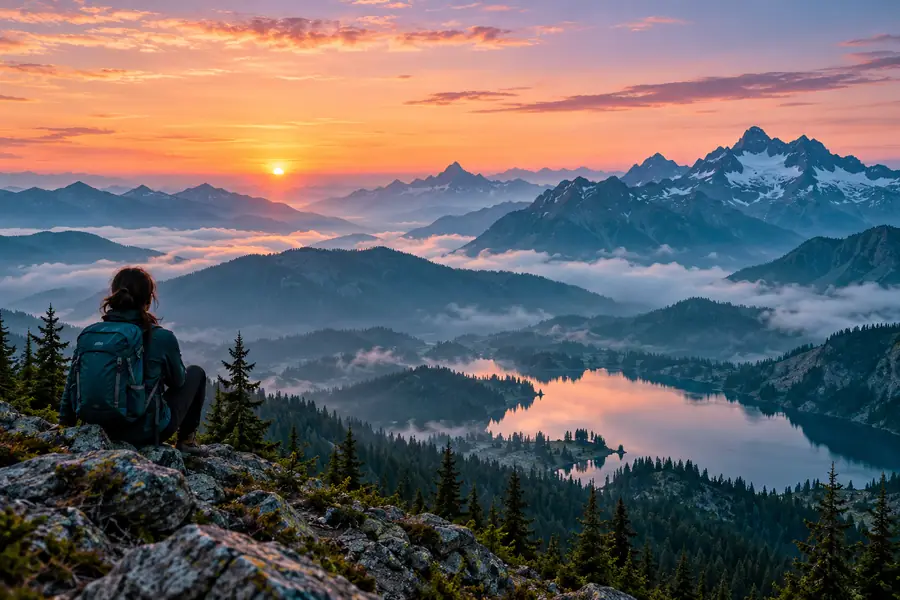
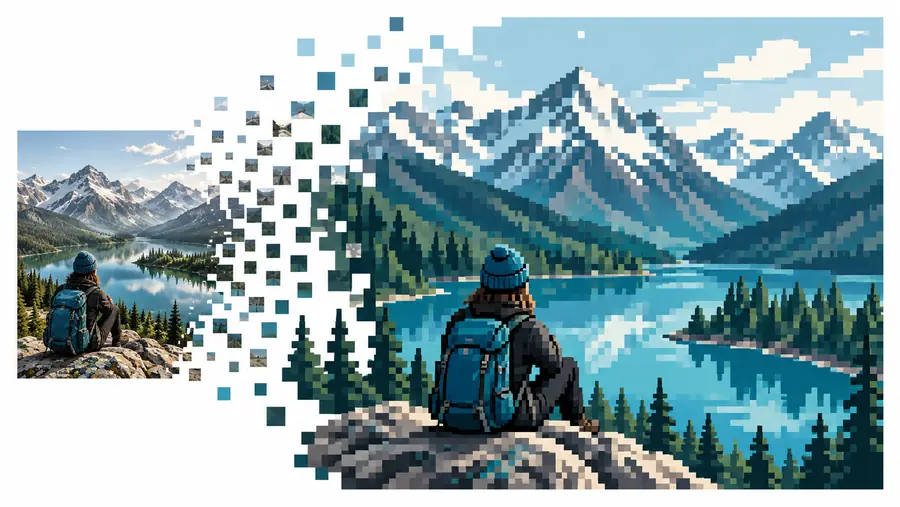
The goal is not to keep every detail. It is to preserve the subject, contrast, and most recognizable shapes with fewer visual units.
Source imagePixel studyStart exploring
Once you understand what a pixel art generator does, the most useful next step is to test a focused subject rather than a crowded scene. Describe the object, mood, colors, and setting in plain language, then judge the result at the size where it will actually be seen. A clear starting prompt makes it easier to tell whether the image communicates well.
Common questions
A pixel art generator free tool is a digital service that helps create or simplify artwork into visible, grid-like color blocks without requiring you to place every pixel manually. “Free” describes the access model of a particular service, so its limits and conditions should be checked on that service’s own route.
It interprets a text description or source image, identifies major shapes and colors, and represents them with a smaller set of hard-edged visual units. The result is usually a starting image that may still need cleanup, resizing, or palette adjustments.
It can simplify many kinds of images, but complex photographs often lose fine texture and small details during conversion. Images with a clear subject, strong contrast, and a relatively simple background usually produce a more readable pixel study.
It can be useful for exploring character, prop, environment, or tile concepts before production. Final game assets still need checks for canvas dimensions, animation consistency, palette rules, transparency, and the visual standards of the game.
No, a generator can help you explore a concept even if you are not comfortable drawing from scratch. Basic knowledge of contrast, silhouettes, color grouping, and the intended display size will make it easier to evaluate and improve the result.